
- ✔ Verified by VirusTotal
- ✔ 100% Original Product & Virus-Free
- ✔ Lifetime Free Updates on Single Purchase
- ✔ Unlimited Website Usage
- ✔ Prices in USD (Tax Included)
🔥 Limited-Time Deal — Ends Soon!
WooCommerce Ultimate Gift Card 2.9.4
$49.00 Original price was: $49.00.$2.99Current price is: $2.99.
Instant Access
7 Day Money Back Guarantee
Online Support 24/7
Secure Payment
Description
WooCommerce Ultimate Gift Card 2.9.4
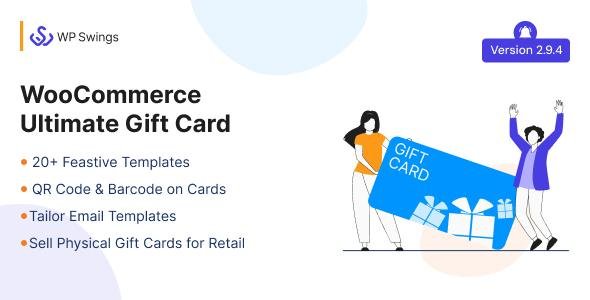
The WooCommerce Ultimate Gift Card plugin allows you to easily create, sell, and manage gift cards on your WooCommerce store. Customers can purchase digital or physical gift cards, send them to friends and family, and redeem them seamlessly at checkout. With customizable templates, flexible pricing options, scheduling, and balance tracking, it’s the ultimate solution for boosting sales and customer engagement.
This is a GPL-distributed version – clean, secure, legally redistributed under the GPL license, with no official support.
🎁 Key Features of WooCommerce Ultimate Gift Card
🔧 Easy Gift Card Management
Create unlimited digital and physical gift cards.
Set fixed or variable gift card amounts.
Enable customers to choose custom amounts.
📩 Flexible Delivery Options
Send gift cards via email instantly or schedule for future dates.
Print-friendly templates for physical cards.
Option to send gift cards to multiple recipients.
🎨 Customizable Gift Card Templates
Pre-built gift card templates for different occasions (Birthday, Christmas, New Year, etc.).
Add custom messages and images.
Allow customers to personalize gift cards with names, notes, or greetings.
⏰ Scheduling & Expiration
Customers can choose a delivery date and time.
Set expiry dates for each gift card.
Allow or restrict partial redemptions.
💳 Redemption & Balance Tracking
Customers can easily redeem gift cards at checkout.
Track card balances and usage.
Automatic email notifications for low balance or expiration reminders.
📊 Admin Controls
Manage gift card orders from the WooCommerce dashboard.
View card activity logs.
Issue refunds or resend gift cards to customers.
🚀 Benefits of WooCommerce Ultimate Gift Card
Boost holiday & seasonal sales by offering gift cards as perfect presents.
Increase customer loyalty with personalized gift options.
Encourage repeat purchases by allowing partial redemptions.
Expand your customer base – gift card recipients often become new customers.
Save time with automated delivery and tracking features.
📝 Summary
The WooCommerce Ultimate Gift Card 2.9.4 plugin is a powerful tool for any WooCommerce store looking to increase sales, attract new customers, and improve customer satisfaction. With its customizable templates, automated delivery, flexible redemption options, and complete admin control, it transforms your store into a fully functional gift card system.
Whether you sell digital products, physical items, or services, WooCommerce Ultimate Gift Card is the perfect solution to grow your business.
Be the first to review “WooCommerce Ultimate Gift Card 2.9.4” Cancel reply
How to Install
Follow these quick steps to install from a .zip file or directly from your WP dashboard.
-
1
Go to Plugins → Add New
In your WordPress dashboard, open Plugins and click Add New.
-
2
Click Upload Plugin
Press Upload Plugin → Choose File and select the downloaded
plugin-name.zip. -
3
Install & Activate
Click Install Now, then Activate. You’re done!
-
4
(Optional) Enter License / Use Shortcode
Open Plugins → Your Plugin → Settings to enter your license. Add the box on the product page with:
[plugin_info_box]
Alternative: Install from WordPress directory
Go to Plugins → Add New, search the plugin name, click Install then Activate.
Manual (FTP) method
Unzip locally → upload the folder to /wp-content/plugins/ using FTP → activate from Plugins.
-
1
Go to Appearance → Themes
Click Add New → Upload Theme.
-
2
Upload the .zip file
Select
theme-name.zip, click Install Now, then Activate. -
3
Install Required Plugins
If prompted, click Begin installing plugins and activate them.
-
4
(Optional) Import Starter Content
Use the theme’s Demo Import (if provided) to load sample pages and settings.
Manual (FTP) theme install
Unzip the theme → upload to /wp-content/themes/ → activate from Appearance → Themes.




Reviews
There are no reviews yet.