
- ✔ Verified by VirusTotal
- ✔ 100% Original Product & Virus-Free
- ✔ Lifetime Free Updates on Single Purchase
- ✔ Unlimited Website Usage
- ✔ Prices in USD (Tax Included)
🔥 Limited-Time Deal — Ends Soon!
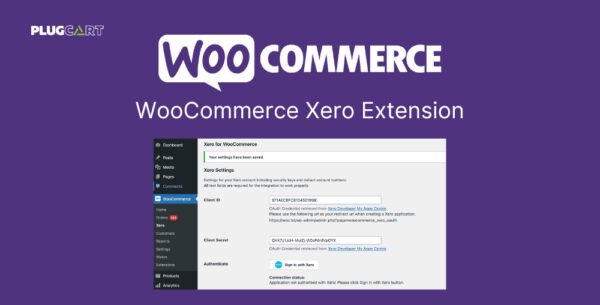
WooCommerce Xero Extension 1.9.7
$56.00 Original price was: $56.00.$2.99Current price is: $2.99.
Instant Access
7 Day Money Back Guarantee
Online Support 24/7
Secure Payment
Description
💼 WooCommerce Xero Extension (Latest Version, GPL)
This is a GPL-distributed version. No official support. Clean, secure, and legally redistributed under the GPL license.
🔗 Seamless WooCommerce & Xero Integration
Xero is powerful accounting software that manages everything from bank reconciliation and financial reporting to inventory tracking and payroll. With the WooCommerce Xero Extension, you can effortlessly connect your online store to Xero and keep your accounting records perfectly in sync.
Once installed and configured, every WooCommerce order is automatically sent to Xero — including products, shipping, discounts, and tax details. Payments are also matched to the correct invoices, ensuring your books stay balanced without manual input.
🌟 Key Features
✔ Automatic Invoice Creation – Instantly generate invoices in Xero for every WooCommerce order.
✔ Accurate Data Sync – Send product, shipping, tax, and discount data directly to Xero.
✔ Payment Matching – Payments received are automatically applied to the right invoice.
✔ Secure Integration – Transactions are synced safely between your store and Xero.
✔ Hands-Free Accounting – Save time by eliminating manual bookkeeping tasks.
📈 Why Use WooCommerce Xero?
Keep your accounting and online sales fully connected.
Reduce errors from manual data entry.
Gain better financial visibility with real-time reporting.
Free up time to focus on growing your business, not balancing books.
Be the first to review “WooCommerce Xero Extension 1.9.7” Cancel reply
How to Install
Follow these quick steps to install from a .zip file or directly from your WP dashboard.
-
1
Go to Plugins → Add New
In your WordPress dashboard, open Plugins and click Add New.
-
2
Click Upload Plugin
Press Upload Plugin → Choose File and select the downloaded
plugin-name.zip. -
3
Install & Activate
Click Install Now, then Activate. You’re done!
-
4
(Optional) Enter License / Use Shortcode
Open Plugins → Your Plugin → Settings to enter your license. Add the box on the product page with:
[plugin_info_box]
Alternative: Install from WordPress directory
Go to Plugins → Add New, search the plugin name, click Install then Activate.
Manual (FTP) method
Unzip locally → upload the folder to /wp-content/plugins/ using FTP → activate from Plugins.
-
1
Go to Appearance → Themes
Click Add New → Upload Theme.
-
2
Upload the .zip file
Select
theme-name.zip, click Install Now, then Activate. -
3
Install Required Plugins
If prompted, click Begin installing plugins and activate them.
-
4
(Optional) Import Starter Content
Use the theme’s Demo Import (if provided) to load sample pages and settings.
Manual (FTP) theme install
Unzip the theme → upload to /wp-content/themes/ → activate from Appearance → Themes.




Reviews
There are no reviews yet.