
- ✔ Verified by VirusTotal
- ✔ 100% Original Product & Virus-Free
- ✔ Lifetime Free Updates on Single Purchase
- ✔ Unlimited Website Usage
- ✔ Prices in USD (Tax Included)
🔥 Limited-Time Deal — Ends Soon!
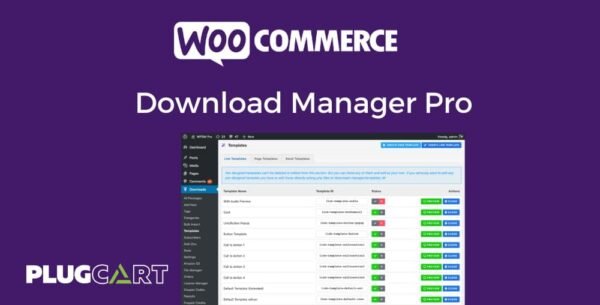
WordPress Download Manager Pro 6.7.2
$57.00 Original price was: $57.00.$2.99Current price is: $2.99.
Instant Access
7 Day Money Back Guarantee
Online Support 24/7
Secure Payment
Description
🔹 WordPress Download Manager Pro – Digital Products & Document Management Plugin
WordPress Download Manager Pro is a feature-packed WordPress plugin for managing, tracking, protecting, and selling digital files and documents. Ideal for websites that offer downloadable content, licenses, or memberships.
✨ Core Features
1. Multi-File Package
Bundle multiple files into a single downloadable package.
Users can download all files as a ZIP from the front-end.
2. Access Control
Restrict file downloads based on user roles and capabilities.
Manage who can access specific downloads.
3. Password Protection
Protect entire packages or individual files with one or multiple passwords.
4. Bandwidth Control
Control download speed to prevent server abuse.
5. Bulk Import
Upload multiple files via FTP and convert them into download packages automatically.
6. Download Statistics
Track who is downloading, from where, and how many times a file is downloaded.
7. Custom Templates
Customize how download links and pages appear on the front-end with template tags.
💳 Payment & E-Commerce Features
PayPal Integration
Support for Smart Payment Buttons, PayPal Credit, Venmo, and local payment methods.
Stripe Integration
Accept all major credit cards directly on your site for a smooth checkout.
Crypto Payments
Accept Bitcoin, Ethereum, and other major cryptocurrencies using Coinbase or AdvCash add-ons.
Digital Store & Marketplace
Full-featured shopping cart system integrated with PayPal.
Order & Invoice Management with multiple templates.
Save or email carts for checkout flexibility.
Role-Based Discounts
Set different prices or discounts for specific user roles.
Sales Reports
Generate custom charts and graphs for site-wide, shop-specific, or product-specific sales.
Coupons & Product Variations
Create product-specific or global coupons.
Unlimited product variations with adjustable pricing.
Simplified Checkout
Premium Package Add-on enables a 2-click guest/member checkout, minimizing friction for buyers.
✅ Benefits
Protect sensitive documents and downloadable content with advanced access control and passwords.
Sell digital products easily with integrated payment gateways.
Track and analyze download activity and sales for smarter business decisions.
Flexible and customizable to fit any business, membership site, or e-commerce store.
Conclusion:
WordPress Download Manager Pro is a complete solution for managing, protecting, and selling digital files on WordPress. From secure downloads and access control to full e-commerce integration, it’s perfect for digital entrepreneurs, educators, and membership websites.
Be the first to review “WordPress Download Manager Pro 6.7.2” Cancel reply
How to Install
Follow these quick steps to install from a .zip file or directly from your WP dashboard.
-
1
Go to Plugins → Add New
In your WordPress dashboard, open Plugins and click Add New.
-
2
Click Upload Plugin
Press Upload Plugin → Choose File and select the downloaded
plugin-name.zip. -
3
Install & Activate
Click Install Now, then Activate. You’re done!
-
4
(Optional) Enter License / Use Shortcode
Open Plugins → Your Plugin → Settings to enter your license. Add the box on the product page with:
[plugin_info_box]
Alternative: Install from WordPress directory
Go to Plugins → Add New, search the plugin name, click Install then Activate.
Manual (FTP) method
Unzip locally → upload the folder to /wp-content/plugins/ using FTP → activate from Plugins.
-
1
Go to Appearance → Themes
Click Add New → Upload Theme.
-
2
Upload the .zip file
Select
theme-name.zip, click Install Now, then Activate. -
3
Install Required Plugins
If prompted, click Begin installing plugins and activate them.
-
4
(Optional) Import Starter Content
Use the theme’s Demo Import (if provided) to load sample pages and settings.
Manual (FTP) theme install
Unzip the theme → upload to /wp-content/themes/ → activate from Appearance → Themes.




Reviews
There are no reviews yet.