
- ✔ Verified by VirusTotal
- ✔ 100% Original Product & Virus-Free
- ✔ Lifetime Free Updates on Single Purchase
- ✔ Unlimited Website Usage
- ✔ Prices in USD (Tax Included)
🔥 Limited-Time Deal — Ends Soon!
WP File Manager PRO – Manage your WordPress files 8.4.3
$57.00 Original price was: $57.00.$2.99Current price is: $2.99.
Instant Access
7 Day Money Back Guarantee
Online Support 24/7
Secure Payment
Description
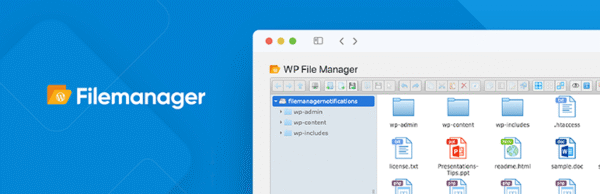
📂 WP File Manager Pro GPL – File Management Made Easy
🚀 Manage WordPress Files Without FTP or cPanel
Forget about FTP, sFTP, or cPanel headaches ❌. With WP File Manager Pro GPL, you can edit, upload, download, delete, copy, paste, and move files directly from your WordPress dashboard 🖥️.
This all-in-one file management plugin saves time, enhances workflow, and makes file handling effortless – perfect for beginners and developers alike.
✨ Key Features of WP File Manager Pro GPL
1️⃣ Full File Control
Edit, delete, upload, and download files ⚡
Copy & paste files and folders with ease 📁
Built-in syntax code checker ✅
Database manager integrated 💾
2️⃣ Advanced User Permissions
Control access by users or user roles 🔐
Limit file operations for specific users
Hide sensitive files & folders 🔒
Adjust file upload sizes 🚀
3️⃣ Built-In Code Editor
Full-screen code editor ✍️
Multiple themes for editor & UI 🎨
Syntax highlighting for error-free coding ⚡
4️⃣ Front-End Integration
Add WP File Manager to any WordPress page or post using:
Shortcodes 🔗
Widgets 📌
Template integration 🛠️
5️⃣ Instant Updates & Notifications
One-click updates for the plugin & extensions 🔄
Email notifications based on user activity 📧
User role-based alerts and file change tracking 🔔
6️⃣ Developer Friendly
Built with developers in mind 🧑💻:
Hundreds of functions & integrations
Sharable links to files 📤
Extend functionality with premium extensions
🏆 Why Choose WP File Manager Pro GPL?
✅ Manage all WordPress files directly in the dashboard
✅ Save time by avoiding external tools (FTP/cPanel)
✅ Secure, lightweight, and 100% GPL licensed 🔒
✅ Perfect for admins, developers, and agencies
🎯 Final Thoughts
WP File Manager Pro GPL is the must-have WordPress plugin for seamless file management 📂. Whether you’re handling uploads, editing code, or controlling user permissions, this plugin puts everything under one roof – fast, secure, and easy.
Be the first to review “WP File Manager PRO – Manage your WordPress files 8.4.3” Cancel reply
How to Install
Follow these quick steps to install from a .zip file or directly from your WP dashboard.
-
1
Go to Plugins → Add New
In your WordPress dashboard, open Plugins and click Add New.
-
2
Click Upload Plugin
Press Upload Plugin → Choose File and select the downloaded
plugin-name.zip. -
3
Install & Activate
Click Install Now, then Activate. You’re done!
-
4
(Optional) Enter License / Use Shortcode
Open Plugins → Your Plugin → Settings to enter your license. Add the box on the product page with:
[plugin_info_box]
Alternative: Install from WordPress directory
Go to Plugins → Add New, search the plugin name, click Install then Activate.
Manual (FTP) method
Unzip locally → upload the folder to /wp-content/plugins/ using FTP → activate from Plugins.
-
1
Go to Appearance → Themes
Click Add New → Upload Theme.
-
2
Upload the .zip file
Select
theme-name.zip, click Install Now, then Activate. -
3
Install Required Plugins
If prompted, click Begin installing plugins and activate them.
-
4
(Optional) Import Starter Content
Use the theme’s Demo Import (if provided) to load sample pages and settings.
Manual (FTP) theme install
Unzip the theme → upload to /wp-content/themes/ → activate from Appearance → Themes.




Reviews
There are no reviews yet.