
- ✔ Verified by VirusTotal
- ✔ 100% Original Product & Virus-Free
- ✔ Lifetime Free Updates on Single Purchase
- ✔ Unlimited Website Usage
- ✔ Prices in USD (Tax Included)
🔥 Limited-Time Deal — Ends Soon!
WP Rentals – Booking Accommodation WordPress Theme 3.14.2
$69.00 Original price was: $69.00.$2.99Current price is: $2.99.
Instant Access
7 Day Money Back Guarantee
Online Support 24/7
Secure Payment
Description
WP Rentals Theme – WordPress Booking & Rental Platform (GPL)
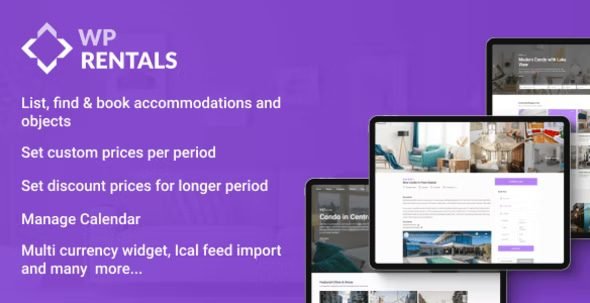
WP Rentals is a feature-rich WordPress booking theme designed for single or multi-owner rental businesses. Whether you rent properties, apartments, or objects, WP Rentals gives you complete tools to manage bookings, pricing, calendars, and payments – all in one place.
This is a GPL-distributed version – clean, secure, and legally redistributed. No official support included.
🏡 Core Features
🔑 Booking & Rental System
Hourly & daily booking options
Over 150 theme options & 20+ pricing variations
Advanced booking form with sticky footer menu on mobile
Custom price rules for weekends, long stays (7+ or 30+ days), extra guests, cleaning & city fees
Early-bird discounts & security deposits
Booking turnover days (check-in/check-out rules)
🌐 Calendar & Integrations
Sync availability with Airbnb, HomeAway, and other platforms
Lightbox gallery with swipe option for property images
Built-in shortcode for maps with property pins
WooCommerce support for payments
Stripe SCA compliant (for EU regulations)
SMS notifications with Twilio integration
🛒 Monetization & Payments
WooCommerce booking payments (no login required for instant booking deposits)
Custom price per period, per guest, or per night/hour
Multiple payment gateways via WooCommerce
🌍 Translation & Multilingual
Ready for WPML & Weglot for multilingual sites
Pre-translated in: Spanish, German, French, Italian, Portuguese, Dutch, Greek, Turkish, Romanian
🖥️ User Dashboard & Customization
Updated, modern user dashboard design
Property owner contact form option
Flexible listing submission forms (choose which fields to show)
Clean, responsive, and mobile-friendly layouts
✅ Why Choose WP Rentals GPL?
WP Rentals GPL is perfect for building a professional rental business website. From apartments, villas, and holiday homes to cars or equipment, it supports hourly and daily rentals, advanced pricing models, WooCommerce payments, and Airbnb calendar sync, making it a complete solution for rental entrepreneurs.
Be the first to review “WP Rentals – Booking Accommodation WordPress Theme 3.14.2” Cancel reply
How to Install
Follow these quick steps to install from a .zip file or directly from your WP dashboard.
-
1
Go to Plugins → Add New
In your WordPress dashboard, open Plugins and click Add New.
-
2
Click Upload Plugin
Press Upload Plugin → Choose File and select the downloaded
plugin-name.zip. -
3
Install & Activate
Click Install Now, then Activate. You’re done!
-
4
(Optional) Enter License / Use Shortcode
Open Plugins → Your Plugin → Settings to enter your license. Add the box on the product page with:
[plugin_info_box]
Alternative: Install from WordPress directory
Go to Plugins → Add New, search the plugin name, click Install then Activate.
Manual (FTP) method
Unzip locally → upload the folder to /wp-content/plugins/ using FTP → activate from Plugins.
-
1
Go to Appearance → Themes
Click Add New → Upload Theme.
-
2
Upload the .zip file
Select
theme-name.zip, click Install Now, then Activate. -
3
Install Required Plugins
If prompted, click Begin installing plugins and activate them.
-
4
(Optional) Import Starter Content
Use the theme’s Demo Import (if provided) to load sample pages and settings.
Manual (FTP) theme install
Unzip the theme → upload to /wp-content/themes/ → activate from Appearance → Themes.



Reviews
There are no reviews yet.