
- ✔ Verified by VirusTotal
- ✔ 100% Original Product & Virus-Free
- ✔ Lifetime Free Updates on Single Purchase
- ✔ Unlimited Website Usage
- ✔ Prices in USD (Tax Included)
🔥 Limited-Time Deal — Ends Soon!
WP Scheduled Posts Pro 5.2.1
$40.00 Original price was: $40.00.$2.99Current price is: $2.99.
Instant Access
7 Day Money Back Guarantee
Online Support 24/7
Secure Payment
Description
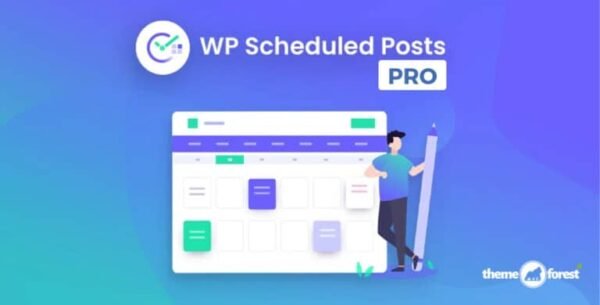
📅 WP Scheduled Posts Pro (SchedulePress Pro) – Latest GPL Version
Plan, schedule, and auto-share your WordPress posts with ease. WP Scheduled Posts Pro (SchedulePress Pro) is the ultimate content scheduling and automation plugin for WordPress.
👉 This is a GPL-distributed version: 100% clean, secure, and legally redistributed. No official support is provided.
🚀 Why Use WP Scheduled Posts Pro?
Consistency is the secret to blogging success. But managing multiple posts, writers, and social shares manually can be overwhelming.
With WP Scheduled Posts Pro, you can:
✅ Manage posts visually with a drag-and-drop calendar.
✅ Automate publishing with a powerful auto scheduler.
✅ Share content automatically across Twitter, Facebook, LinkedIn, and Pinterest.
✅ Ensure no content is lost with the Missed Schedule Handler.
It’s the all-in-one scheduling powerhouse every content creator, marketer, and blogger needs.
🌟 WP Scheduled Posts Pro Features
🗓️ Schedule Calendar
Drag-and-drop content scheduling.
Create new posts directly from the calendar.
Quickly organize your entire content strategy.
🤖 Auto Scheduler
Save time by automating post publishing.
Choose the exact times and frequency you want.
Perfect for consistent posting, even while away.
📢 Auto Social Sharing
Boost visibility by auto-sharing posts on Twitter, Facebook, LinkedIn, and Pinterest.
Add hashtags, categories as tags, and modify templates.
Upload custom banners for engaging social shares.
⚡ Missed Schedule Handler
WordPress sometimes fails to publish scheduled posts.
WP Scheduled Posts Pro ensures no post is ever missed.
🎨 Social Templates
Fully customize your social sharing templates.
Control metadata, featured images, hashtags, and more.
Attract audiences instantly with professional-looking shares.
💡 Use Cases
📝 Bloggers & Writers – Maintain a consistent posting schedule.
📈 Marketers – Automate content publishing and sharing for campaigns.
📰 News Websites – Schedule breaking stories and auto-share instantly.
🏢 Businesses – Manage multiple authors and posts with an organized calendar.
🏆 Final Thoughts
WP Scheduled Posts Pro (GPL Version) is more than just a post scheduler — it’s a complete content planning and automation system for WordPress. From scheduling to auto-sharing across major social platforms, it ensures your content always reaches your audience on time.
👉 Start automating your WordPress content today and watch your traffic and engagement grow effortlessly.
Be the first to review “WP Scheduled Posts Pro 5.2.1” Cancel reply
How to Install
Follow these quick steps to install from a .zip file or directly from your WP dashboard.
-
1
Go to Plugins → Add New
In your WordPress dashboard, open Plugins and click Add New.
-
2
Click Upload Plugin
Press Upload Plugin → Choose File and select the downloaded
plugin-name.zip. -
3
Install & Activate
Click Install Now, then Activate. You’re done!
-
4
(Optional) Enter License / Use Shortcode
Open Plugins → Your Plugin → Settings to enter your license. Add the box on the product page with:
[plugin_info_box]
Alternative: Install from WordPress directory
Go to Plugins → Add New, search the plugin name, click Install then Activate.
Manual (FTP) method
Unzip locally → upload the folder to /wp-content/plugins/ using FTP → activate from Plugins.
-
1
Go to Appearance → Themes
Click Add New → Upload Theme.
-
2
Upload the .zip file
Select
theme-name.zip, click Install Now, then Activate. -
3
Install Required Plugins
If prompted, click Begin installing plugins and activate them.
-
4
(Optional) Import Starter Content
Use the theme’s Demo Import (if provided) to load sample pages and settings.
Manual (FTP) theme install
Unzip the theme → upload to /wp-content/themes/ → activate from Appearance → Themes.




Reviews
There are no reviews yet.