
- ✔ Verified by VirusTotal
- ✔ 100% Original Product & Virus-Free
- ✔ Lifetime Free Updates on Single Purchase
- ✔ Unlimited Website Usage
- ✔ Prices in USD (Tax Included)
🔥 Limited-Time Deal — Ends Soon!
WPC Frequently Bought Together For WooCommerce 7.6.9
$57.00 Original price was: $57.00.$2.99Current price is: $2.99.
Instant Access
7 Day Money Back Guarantee
Online Support 24/7
Secure Payment
Description
🛒 WPC Frequently Bought Together for WooCommerce – Boost Sales with Smart Cross-Selling
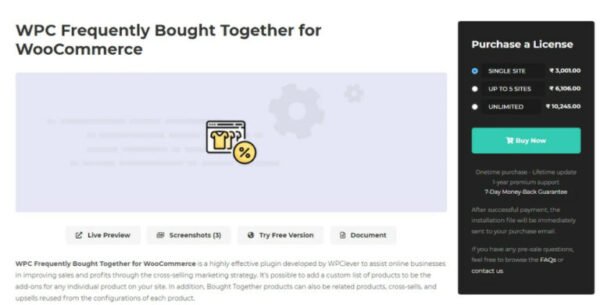
WPC Frequently Bought Together for WooCommerce is a powerful plugin developed by WPClever to help online store owners increase sales, average order value, and customer satisfaction. By offering bundled deals, upsells, and cross-sells, this plugin motivates customers to purchase related items together — just like Amazon’s famous “Frequently Bought Together” strategy.
With its advanced customization options, smart rules, and compatibility with most WooCommerce add-ons, this plugin is perfect for any online business looking to maximize revenue effortlessly. 🚀
🌟 Why Choose WPC Frequently Bought Together?
Online shoppers love convenience and savings. By showing them related products at the right time, you give them a reason to add more items to their cart. For example:
A laptop buyer may also need a charger or bag.
A fashion shopper may purchase jeans and shoes with a shirt.
A jewelry lover may be tempted to grab 2–3 matching pieces at a discount.
With WPC Frequently Bought Together, you can easily create these bundles and watch your conversion rates and order values grow. 📈
✅ Key Benefits
📦 Promote related products, cross-sells, and upsells
💰 Increase order sizes & cart values
⚡ Improve conversion rates with bundled incentives
🎯 Encourage impulse buying with attractive deals
🛒 Provide a better shopping experience for customers
🔑 Core Features of WPC Frequently Bought Together
🎨 Flexible Display Options
Choose from multiple layouts: list view or responsive grids (2, 3, or 4 columns).
Customize product list position (above or below Add to Cart button).
Responsive mode: Different layouts for desktop & mobile.
💵 Smart Pricing Control
Set percentage or fixed amount discounts for each item.
Calculate prices from regular or sale prices.
Create tiered deals (e.g., different discounts per item).
Display discount savings clearly to increase urgency.
🛒 Advanced Product Management
Add a custom list of Bought Together products per product.
Use related products, upsells, or cross-sells as bundles.
Drag & drop to reorder bundled products.
Exclude or keep unpurchasable products in lists.
⚙️ Customer-Friendly Options
Allow custom quantity selection for each add-on.
Set min/max purchase limits for bundled products.
Option to check all items by default for quicker checkout.
Link products in same/new tab or via Quick View popup.
💎 Premium Features (Upgrade for More Power)
🌀 Add variable products & specific variations in bundles.
🧠 Smart Rules: Bulk-add bundles storewide or by categories, tags, brands, attributes, etc.
📊 Set global discounts across all Bought Together bundles.
🔄 Combine multiple sources (products, collections, brands).
🛡️ Lifetime plugin updates + 1-year premium support.
🛍️ Real-World Use Cases
Here are some practical ways to use WPC Frequently Bought Together:
💻 Laptop + Charger + Mouse = 10% OFF bundle.
👕 Shirt + Jeans + Shoes = $20 OFF fashion combo.
💍 Necklace + Bracelet + Earrings = jewelry set discount.
🏡 Desk + Chair + Lamp = Home office starter kit.
🎨 Allow customers to buy multiple patterns of the same product.
🔄 Cross-Selling Less Popular Products
Some products don’t sell as often on their own. With this plugin, you can:
Bundle them with trending products.
Offer them at a discounted add-on price.
Increase sales of slow-moving inventory.
Example: A computer cleaning kit may not be popular, but paired with a keyboard or screen protector, customers are more likely to buy it.
⚙️ Flexible Configuration Levels
🌍 Storewide: Automatically show related/upsell/cross-sell products.
🛒 Per Product: Handpick bundled items for individual products.
🎯 Premium Smart Rules: Bulk-manage bundles by product type, brand, category, tag, or attributes.
This ensures maximum flexibility and control over your upselling strategy.
🔗 Integration with Other WPC Plugins
Combine with WPC Force Sells for required add-ons.
Use with WPC Custom Related Products & WPC Smart Linked Products for bulk management.
Pair with WPC Smart Messages to display promotional texts & countdown timers.
🎯 Final Thoughts
If you’re running a WooCommerce store and want to boost sales, encourage upselling, and improve customer experience, then WPC Frequently Bought Together for WooCommerce is the perfect solution.
With its flexible features, premium smart rules, and seamless compatibility, this plugin gives you the tools to maximize revenue with minimal effort.
👉 Start offering Frequently Bought Together deals today and turn browsers into loyal buyers!
Be the first to review “WPC Frequently Bought Together For WooCommerce 7.6.9” Cancel reply
How to Install
Follow these quick steps to install from a .zip file or directly from your WP dashboard.
-
1
Go to Plugins → Add New
In your WordPress dashboard, open Plugins and click Add New.
-
2
Click Upload Plugin
Press Upload Plugin → Choose File and select the downloaded
plugin-name.zip. -
3
Install & Activate
Click Install Now, then Activate. You’re done!
-
4
(Optional) Enter License / Use Shortcode
Open Plugins → Your Plugin → Settings to enter your license. Add the box on the product page with:
[plugin_info_box]
Alternative: Install from WordPress directory
Go to Plugins → Add New, search the plugin name, click Install then Activate.
Manual (FTP) method
Unzip locally → upload the folder to /wp-content/plugins/ using FTP → activate from Plugins.
-
1
Go to Appearance → Themes
Click Add New → Upload Theme.
-
2
Upload the .zip file
Select
theme-name.zip, click Install Now, then Activate. -
3
Install Required Plugins
If prompted, click Begin installing plugins and activate them.
-
4
(Optional) Import Starter Content
Use the theme’s Demo Import (if provided) to load sample pages and settings.
Manual (FTP) theme install
Unzip the theme → upload to /wp-content/themes/ → activate from Appearance → Themes.




Reviews
There are no reviews yet.