
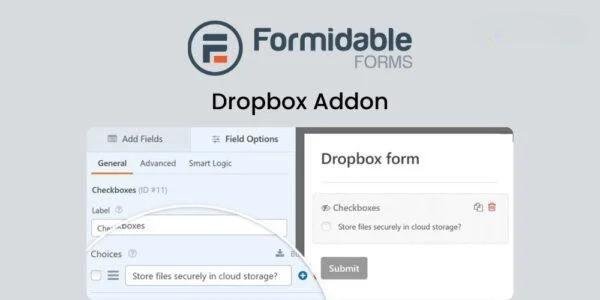
- ✔ Verified by VirusTotal
- ✔ 100% Original Product & Virus-Free
- ✔ Lifetime Free Updates on Single Purchase
- ✔ Unlimited Website Usage
- ✔ Prices in USD (Tax Included)
🔥 Limited-Time Deal — Ends Soon!
WPForms Dropbox Addon 1.2.0
$64.00 Original price was: $64.00.$2.99Current price is: $2.99.
Instant Access
7 Day Money Back Guarantee
Online Support 24/7
Secure Payment
Description
📦 WPForms Dropbox Addon – Effortless File Management for WordPress Forms
WPForms Dropbox Addon brings seamless file storage and automation to your WordPress forms. Instantly connect your forms to Dropbox and save uploaded files directly to your cloud account — organized, secure, and ready for easy access anytime. Perfect for businesses, agencies, and professionals who need reliable form-to-cloud integration.
⚙️ Key Features
Dropbox Integration: Automatically upload form file attachments straight to your Dropbox account.
Drag & Drop Form Builder: Build professional contact forms, surveys, payment forms, and upload forms without code.
2,000+ Pre-Built Templates: Launch faster with ready-made templates for every need — contact, order, feedback, and more.
Smart Conditional Logic: Control visibility and behavior of form fields based on user input.
Mobile-Responsive Design: Forms look and function flawlessly across all devices.
Secure File Storage: Keep all uploads safe, backed up, and accessible through Dropbox’s encrypted system.
Advanced Entry Management: Manage submissions, view uploads, and monitor activity directly from your WordPress dashboard.
Seamless Payment Integration: Accept donations and payments securely through Stripe, PayPal, or Authorize.Net.
CRM & Marketing Automation: Send form data to CRMs and email marketing tools automatically.
Surveys, Polls & Signatures: Collect feedback, e-signatures, and custom responses easily.
Form Notifications: Get instant alerts when new submissions or uploads are received.
🚀 What We Offer
With the WPForms Dropbox Addon, collecting and organizing user uploads has never been simpler. From client submissions to digital applications, every uploaded file is instantly stored in Dropbox — keeping your workflow clean, automated, and clutter-free.
🏆 Conclusion
The WPForms Dropbox Addon is your all-in-one solution for automating file management within WordPress forms. Combine WPForms’ power with Dropbox’s cloud reliability to streamline your business, enhance data security, and boost productivity — all with zero coding required.
Be the first to review “WPForms Dropbox Addon 1.2.0” Cancel reply
How to Install
Follow these quick steps to install from a .zip file or directly from your WP dashboard.
-
1
Go to Plugins → Add New
In your WordPress dashboard, open Plugins and click Add New.
-
2
Click Upload Plugin
Press Upload Plugin → Choose File and select the downloaded
plugin-name.zip. -
3
Install & Activate
Click Install Now, then Activate. You’re done!
-
4
(Optional) Enter License / Use Shortcode
Open Plugins → Your Plugin → Settings to enter your license. Add the box on the product page with:
[plugin_info_box]
Alternative: Install from WordPress directory
Go to Plugins → Add New, search the plugin name, click Install then Activate.
Manual (FTP) method
Unzip locally → upload the folder to /wp-content/plugins/ using FTP → activate from Plugins.
-
1
Go to Appearance → Themes
Click Add New → Upload Theme.
-
2
Upload the .zip file
Select
theme-name.zip, click Install Now, then Activate. -
3
Install Required Plugins
If prompted, click Begin installing plugins and activate them.
-
4
(Optional) Import Starter Content
Use the theme’s Demo Import (if provided) to load sample pages and settings.
Manual (FTP) theme install
Unzip the theme → upload to /wp-content/themes/ → activate from Appearance → Themes.




Reviews
There are no reviews yet.