
- ✔ Verified by VirusTotal
- ✔ 100% Original Product & Virus-Free
- ✔ Lifetime Free Updates on Single Purchase
- ✔ Unlimited Website Usage
- ✔ Prices in USD (Tax Included)
🔥 Limited-Time Deal — Ends Soon!
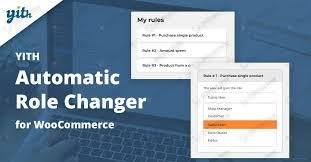
YITH Automatic Role Changer For WooCommerce Premium 2.4.0
$31.00 Original price was: $31.00.$2.99Current price is: $2.99.
Instant Access
7 Day Money Back Guarantee
Online Support 24/7
Secure Payment
Description
YITH Automatic Role Changer for WooCommerce Premium 🔑
📌 This is a GPL-distributed version. No official support. Clean, secure, and legally redistributed under the GPL license.
What Does This Plugin Do? ❓
YITH Automatic Role Changer for WooCommerce Premium allows you to automatically edit and assign user roles in your WooCommerce store when specific events occur.
Instead of manually updating customer roles one by one, this plugin automates the process, saving you time and helping you deliver personalized privileges to the right customers.
Why It Matters 🚀
Every customer is unique. Some are loyal buyers who deserve extra perks, others are high-spenders who should receive VIP treatment, and some need temporary privileges for promotions or events.
Manually managing all these role updates becomes a nightmare when your customer base grows. This plugin automates the process, ensuring your marketing strategy runs smoothly without extra effort.
How You Benefit 💼
🎯 Boost Loyalty – reward recurring buyers automatically with better roles and benefits.
💰 Encourage Bigger Orders – assign VIP roles to customers who spend above a set amount.
⏳ Save Time – no more manual role changes; let automation handle it.
🔄 Seamless Integration – works perfectly with membership, subscriptions, and reward system plugins.
Key Features 🌟
Automatic Role Assignment
Change user roles when customers:
Buy a specific product.
Spend over a certain order amount.
Place multiple orders.
Reach a custom-defined condition.
Flexible Role Management
Assign multiple roles or switch existing ones.
Set temporary roles with start and expiration dates.
Marketing Power Tool
Create loyalty programs by upgrading frequent customers to privileged roles.
Assign VIP roles to high-value customers automatically.
Perfect for exclusive sales, discounts, and promotions.
Compatibility
Integrates smoothly with:
Membership plugins.
Subscription plugins.
Points and rewards systems.
Real-World Examples 💡
⭐ Upgrade customers to “VIP” role after they spend $500.
🎁 Give a temporary premium role when they buy a special promotional product.
🔑 Automatically assign a “Subscriber” role when someone buys a subscription.
Why Choose YITH Automatic Role Changer? ✅
Because it transforms customer management into a powerful marketing tool. With this plugin, you can:
Increase customer loyalty.
Personalize the shopping experience.
Save hours of manual admin work.
Create targeted offers with role-based discounts.
👉 YITH Automatic Role Changer for WooCommerce Premium is the ultimate automation tool to handle customer roles intelligently, making your store more professional, efficient, and profitable.
Be the first to review “YITH Automatic Role Changer For WooCommerce Premium 2.4.0” Cancel reply
How to Install
Follow these quick steps to install from a .zip file or directly from your WP dashboard.
-
1
Go to Plugins → Add New
In your WordPress dashboard, open Plugins and click Add New.
-
2
Click Upload Plugin
Press Upload Plugin → Choose File and select the downloaded
plugin-name.zip. -
3
Install & Activate
Click Install Now, then Activate. You’re done!
-
4
(Optional) Enter License / Use Shortcode
Open Plugins → Your Plugin → Settings to enter your license. Add the box on the product page with:
[plugin_info_box]
Alternative: Install from WordPress directory
Go to Plugins → Add New, search the plugin name, click Install then Activate.
Manual (FTP) method
Unzip locally → upload the folder to /wp-content/plugins/ using FTP → activate from Plugins.
-
1
Go to Appearance → Themes
Click Add New → Upload Theme.
-
2
Upload the .zip file
Select
theme-name.zip, click Install Now, then Activate. -
3
Install Required Plugins
If prompted, click Begin installing plugins and activate them.
-
4
(Optional) Import Starter Content
Use the theme’s Demo Import (if provided) to load sample pages and settings.
Manual (FTP) theme install
Unzip the theme → upload to /wp-content/themes/ → activate from Appearance → Themes.

Reviews
There are no reviews yet.