
- ✔ Verified by VirusTotal
- ✔ 100% Original Product & Virus-Free
- ✔ Lifetime Free Updates on Single Purchase
- ✔ Unlimited Website Usage
- ✔ Prices in USD (Tax Included)
🔥 Limited-Time Deal — Ends Soon!
YITH Cost of Goods for WooCommerce Premium 2.21.0
$58.00 Original price was: $58.00.$2.99Current price is: $2.99.
Instant Access
7 Day Money Back Guarantee
Online Support 24/7
Secure Payment
Description
YITH Cost of Goods for WooCommerce Premium 2.21.0 💰📊
⚡ This is a GPL-distributed version. No official support. Clean, secure, and legally redistributed under the GPL license.
Track Costs & Maximize Profits Easily 🛍️
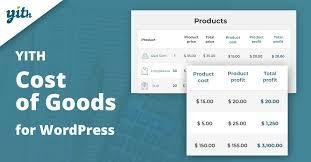
Running a WooCommerce store is not just about sales — it’s about knowing your real profits. With YITH Cost of Goods for WooCommerce Premium, you can finally monitor the actual costs of your products and calculate the net margin for every sale.
This powerful plugin helps you keep track of purchase costs, shipping, and additional expenses, so you always know exactly how much you’re earning.
Why You Need It 🚀
📈 Identify the most profitable products in your shop
💡 Make data-driven business decisions
🧾 Track costs such as shipping, packaging, or supplier fees
🔄 Optimize pricing strategies to increase margins
✅ Gain full control over your WooCommerce profit reports
YITH Cost of Goods for WooCommerce Premium Features 🛠️
Cost & Profit Tracking 🔍
Assign a cost of goods to each product
Track variable costs for product variations
Calculate gross margin and net profit automatically
Include additional expenses like shipping and extra fees
Advanced Reporting 📊
View detailed reports on sales, costs, and profits
Compare product performance and margins over time
Generate profit analysis per order, product, or category
Smart Integrations ⚡
Full compatibility with WooCommerce reports
Works seamlessly with discounts and coupons
Support for variable products and bulk editing
Customization Options 🎨
Add costs manually or via bulk actions
Choose to include/exclude taxes in reports
Filter reports by product, order, or category
Benefits for Your Store 🌟
🤑 Know your real profit margins
📊 Improve business planning & forecasting
🛒 Understand which products bring in the most revenue
⏱️ Save time with automated calculations
💼 Manage your store like a pro with accurate profit reports
👉 With YITH Cost of Goods for WooCommerce Premium, you’ll no longer guess your profits — you’ll measure them precisely and take smarter business decisions every day.
Be the first to review “YITH Cost of Goods for WooCommerce Premium 2.21.0” Cancel reply
How to Install
Follow these quick steps to install from a .zip file or directly from your WP dashboard.
-
1
Go to Plugins → Add New
In your WordPress dashboard, open Plugins and click Add New.
-
2
Click Upload Plugin
Press Upload Plugin → Choose File and select the downloaded
plugin-name.zip. -
3
Install & Activate
Click Install Now, then Activate. You’re done!
-
4
(Optional) Enter License / Use Shortcode
Open Plugins → Your Plugin → Settings to enter your license. Add the box on the product page with:
[plugin_info_box]
Alternative: Install from WordPress directory
Go to Plugins → Add New, search the plugin name, click Install then Activate.
Manual (FTP) method
Unzip locally → upload the folder to /wp-content/plugins/ using FTP → activate from Plugins.
-
1
Go to Appearance → Themes
Click Add New → Upload Theme.
-
2
Upload the .zip file
Select
theme-name.zip, click Install Now, then Activate. -
3
Install Required Plugins
If prompted, click Begin installing plugins and activate them.
-
4
(Optional) Import Starter Content
Use the theme’s Demo Import (if provided) to load sample pages and settings.
Manual (FTP) theme install
Unzip the theme → upload to /wp-content/themes/ → activate from Appearance → Themes.




Reviews
There are no reviews yet.