
- ✔ Verified by VirusTotal
- ✔ 100% Original Product & Virus-Free
- ✔ Lifetime Free Updates on Single Purchase
- ✔ Unlimited Website Usage
- ✔ Prices in USD (Tax Included)
🔥 Limited-Time Deal — Ends Soon!
YITH Google Product Feed Premium 1.42.0
$58.00 Original price was: $58.00.$2.99Current price is: $2.99.
Instant Access
7 Day Money Back Guarantee
Online Support 24/7
Secure Payment
Description
🚀 Connect WooCommerce to Google Merchant Instantly
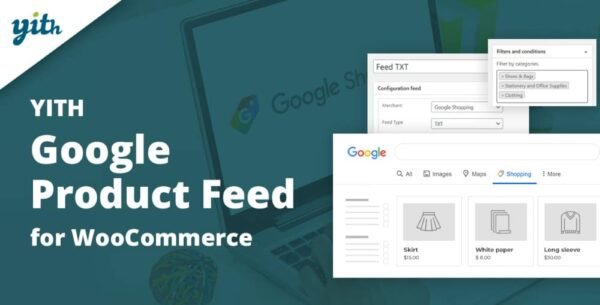
Boost your WooCommerce sales by showcasing your products directly on Google Shopping 🛍️ with the YITH Google Product Feed for WooCommerce plugin. From the very first click, you’ll be able to generate product feeds that instantly sync with Google Merchant, making your items more visible, more clickable, and more likely to sell.
🌟 Why Use Google Merchant with WooCommerce?
Have you ever noticed those attractive product feeds in Google search results? ✨ They grab attention, tempt shoppers, and send highly motivated buyers directly to your store. With Google Merchant:
📈 Your products appear in front of the right audience
🛒 Buyers are taken straight to your product pages
💰 More traffic means higher conversion rates and sales
All it takes is a simple setup, and your WooCommerce shop can start leveraging the power of Google Shopping today.
⚡ YITH Google Product Feed for WooCommerce Features
With the YITH Google Product Feed Premium GPL Extension, you get all the tools you need to manage product feeds effortlessly:
🔄 Create unlimited product feeds
📂 Choose all products, or filter by categories/tags
📑 Export feeds in .xml and .txt formats
🛠️ Build custom templates for feeds
🎯 Select Google fields and map them to WooCommerce product data
🔗 Include data from custom fields
🏷️ Add prefixes/suffixes to product info for Google Shopping
⚙️ Manage global feed settings for all products or override per product/variation
🎯 Benefits of Using YITH Google Product Feed
🚀 Increase product visibility on Google
🛍️ Drive more qualified traffic to your store
📊 Improve sales conversions with high-intent shoppers
🕒 Save time with automated feed generation
💡 Easy-to-use and quick setup — no coding required
💼 Take Your WooCommerce Store Further
With the YITH Google Product Feed for WooCommerce, connecting your store to Google Merchant is as easy as pie 🥧. Just register your Google Merchant account, activate the plugin, and let it handle the rest — your business growth will exceed expectations 🌍✨.
Be the first to review “YITH Google Product Feed Premium 1.42.0” Cancel reply
How to Install
Follow these quick steps to install from a .zip file or directly from your WP dashboard.
-
1
Go to Plugins → Add New
In your WordPress dashboard, open Plugins and click Add New.
-
2
Click Upload Plugin
Press Upload Plugin → Choose File and select the downloaded
plugin-name.zip. -
3
Install & Activate
Click Install Now, then Activate. You’re done!
-
4
(Optional) Enter License / Use Shortcode
Open Plugins → Your Plugin → Settings to enter your license. Add the box on the product page with:
[plugin_info_box]
Alternative: Install from WordPress directory
Go to Plugins → Add New, search the plugin name, click Install then Activate.
Manual (FTP) method
Unzip locally → upload the folder to /wp-content/plugins/ using FTP → activate from Plugins.
-
1
Go to Appearance → Themes
Click Add New → Upload Theme.
-
2
Upload the .zip file
Select
theme-name.zip, click Install Now, then Activate. -
3
Install Required Plugins
If prompted, click Begin installing plugins and activate them.
-
4
(Optional) Import Starter Content
Use the theme’s Demo Import (if provided) to load sample pages and settings.
Manual (FTP) theme install
Unzip the theme → upload to /wp-content/themes/ → activate from Appearance → Themes.


Reviews
There are no reviews yet.