
- ✔ Verified by VirusTotal
- ✔ 100% Original Product & Virus-Free
- ✔ Lifetime Free Updates on Single Purchase
- ✔ Unlimited Website Usage
- ✔ Prices in USD (Tax Included)
🔥 Limited-Time Deal — Ends Soon!
YITH WooCommerce Catalog Mode Premium 2.49.0
$58.00 Original price was: $58.00.$2.99Current price is: $2.99.
Instant Access
7 Day Money Back Guarantee
Online Support 24/7
Secure Payment
Description
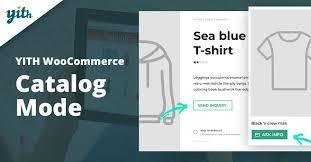
YITH WooCommerce Catalog Mode Premium 🛍️
⚡ This is a GPL-distributed version. No official support. Clean, secure, and legally redistributed under the GPL license.
Turn Your Store Into a Catalog 📝
Do you want to display products without selling them immediately? Or perhaps you want to restrict certain details to registered users, manage inventory, or temporarily close your store for holidays or sales preparation?
YITH WooCommerce Catalog Mode Premium gives you full control to transform your online shop into a catalog, hiding prices, removing Add to Cart buttons, and customizing labels and inquiry forms, while still keeping your products online for viewing.
Why Use Catalog Mode? 💡
Display your products without making them purchasable
Filter users so that only registered or specific visitors see product details
Temporarily suspend sales without taking your store offline
Add professional inquiry forms for customers to contact you directly
Premium Features ✨
Catalog Control & Visibility
Apply catalog mode settings for administrators as well
Hide Add to Cart button on product pages, shop pages, category pages, and tag pages
Hide Cart and Checkout pages with a single click
Hide product prices for all users or only guest users
Apply catalog mode rules only to users from specific countries
Hide the Reviews tab for guest users
Customization Options 🎨
Create custom buttons or labels to replace Add to Cart or price
Show custom buttons on Shop and Product pages
Manage Exclusion List: exclude specific products, categories, or tags from catalog mode rules
Set custom buttons/labels for products in the Exclusion List
Inquiry Forms Integration 📨
Add inquiry forms on product pages using supported plugins:
Contact Form 7
Gravity Forms
Ninja Forms ✅
Formidable Forms ✅
Choose the position of inquiry forms:
After product price
After short description
After Add to Cart button
In a dedicated tab
Hidden in a toggle button ✅
Include the product direct link in submitted emails
Fully compatible with WPML: set different forms for each language
Benefits for Your Store 💎
With YITH WooCommerce Catalog Mode Premium, you can showcase your products professionally, manage temporary store closures, control user access, and still provide easy ways for customers to inquire about products.
Perfect for showrooms, B2B shops, or seasonal stores, this plugin lets you maintain visibility without selling immediately, while keeping your shop professional and user-friendly.
Be the first to review “YITH WooCommerce Catalog Mode Premium 2.49.0” Cancel reply
How to Install
Follow these quick steps to install from a .zip file or directly from your WP dashboard.
-
1
Go to Plugins → Add New
In your WordPress dashboard, open Plugins and click Add New.
-
2
Click Upload Plugin
Press Upload Plugin → Choose File and select the downloaded
plugin-name.zip. -
3
Install & Activate
Click Install Now, then Activate. You’re done!
-
4
(Optional) Enter License / Use Shortcode
Open Plugins → Your Plugin → Settings to enter your license. Add the box on the product page with:
[plugin_info_box]
Alternative: Install from WordPress directory
Go to Plugins → Add New, search the plugin name, click Install then Activate.
Manual (FTP) method
Unzip locally → upload the folder to /wp-content/plugins/ using FTP → activate from Plugins.
-
1
Go to Appearance → Themes
Click Add New → Upload Theme.
-
2
Upload the .zip file
Select
theme-name.zip, click Install Now, then Activate. -
3
Install Required Plugins
If prompted, click Begin installing plugins and activate them.
-
4
(Optional) Import Starter Content
Use the theme’s Demo Import (if provided) to load sample pages and settings.
Manual (FTP) theme install
Unzip the theme → upload to /wp-content/themes/ → activate from Appearance → Themes.

Reviews
There are no reviews yet.