
- ✔ Verified by VirusTotal
- ✔ 100% Original Product & Virus-Free
- ✔ Lifetime Free Updates on Single Purchase
- ✔ Unlimited Website Usage
- ✔ Prices in USD (Tax Included)
🔥 Limited-Time Deal — Ends Soon!
YITH WooCommerce Customize My Account Page Premium 4.24.0
$66.00 Original price was: $66.00.$2.99Current price is: $2.99.
Instant Access
7 Day Money Back Guarantee
Online Support 24/7
Secure Payment
Description
🧭 YITH WooCommerce Customize My Account Page Premium – Latest Version (GPL)
This is a GPL-distributed version. No official support. Clean, secure, and legally redistributed under the GPL license.
A user-friendly website is one that allows visitors to navigate and interact easily — but many WooCommerce stores struggle to give customers a clean, centralized area to find their orders, downloads, invoices, and wishlists.
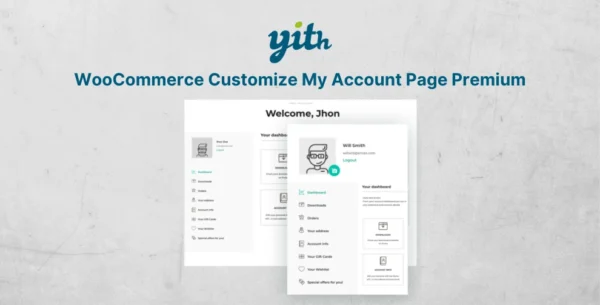
That’s where YITH WooCommerce Customize My Account Page Premium comes in. It helps you transform the default “My Account” page into a well-organized, professional user dashboard that improves customer satisfaction and engagement.
🎯 Why Use YITH WooCommerce Customize My Account Page?
The default WooCommerce “My Account” page is functional but limited. With this plugin, you can:
Add custom sections and menus
Display personalized content
Improve navigation and usability
Give customers quick access to important information
All from one clean, organized location — boosting both user experience and repeat sales.
🚀 Key Features
🧩 Full Customization Control
Completely customize the WooCommerce “My Account” page
Add, edit, or remove tabs and sections easily
Reorder elements with a drag-and-drop interface
📑 Custom Tabs & Menus
Create custom menus with personalized content
Add shortcodes, links, or text blocks to enhance user navigation
Display relevant pages like invoices, wishlists, downloads, or guides
🧠 Smart User Experience
Group related information logically for easy access
Reduce customer frustration by centralizing all account-related info
Encourage users to make additional purchases with tailored sections
💼 Dynamic Content Integration
Add specific WooCommerce content such as:
Orders
Downloads
Subscriptions
Invoices
Wishlists
Show custom content or external links per your needs
⚙️ Flexible Design
Works seamlessly with most WordPress themes and page builders
Compatible with popular YITH plugins for advanced functionality
No coding required — intuitive setup for admins of all skill levels
💡 Benefits for Your Store
Enhance usability and engagement with an intuitive account dashboard
Strengthen customer loyalty through personalized navigation
Provide clear, organized access to all user resources
Reduce support requests by helping customers find what they need faster
Encourage repeat purchases with custom promotional tabs
🧱 Perfect for
Online stores that want a professional, branded “My Account” page
WooCommerce site owners who want full control over user experience
Businesses looking to increase customer retention through convenience
✅ Conclusion
YITH WooCommerce Customize My Account Page Premium (GPL) lets you transform a simple WooCommerce profile page into a personalized customer dashboard.
Add custom tabs, reorganize menus, and provide users with exactly what they need — all while improving satisfaction and loyalty.
Be the first to review “YITH WooCommerce Customize My Account Page Premium 4.24.0” Cancel reply
How to Install
Follow these quick steps to install from a .zip file or directly from your WP dashboard.
-
1
Go to Plugins → Add New
In your WordPress dashboard, open Plugins and click Add New.
-
2
Click Upload Plugin
Press Upload Plugin → Choose File and select the downloaded
plugin-name.zip. -
3
Install & Activate
Click Install Now, then Activate. You’re done!
-
4
(Optional) Enter License / Use Shortcode
Open Plugins → Your Plugin → Settings to enter your license. Add the box on the product page with:
[plugin_info_box]
Alternative: Install from WordPress directory
Go to Plugins → Add New, search the plugin name, click Install then Activate.
Manual (FTP) method
Unzip locally → upload the folder to /wp-content/plugins/ using FTP → activate from Plugins.
-
1
Go to Appearance → Themes
Click Add New → Upload Theme.
-
2
Upload the .zip file
Select
theme-name.zip, click Install Now, then Activate. -
3
Install Required Plugins
If prompted, click Begin installing plugins and activate them.
-
4
(Optional) Import Starter Content
Use the theme’s Demo Import (if provided) to load sample pages and settings.
Manual (FTP) theme install
Unzip the theme → upload to /wp-content/themes/ → activate from Appearance → Themes.



Reviews
There are no reviews yet.