
- ✔ Verified by VirusTotal
- ✔ 100% Original Product & Virus-Free
- ✔ Lifetime Free Updates on Single Purchase
- ✔ Unlimited Website Usage
- ✔ Prices in USD (Tax Included)
🔥 Limited-Time Deal — Ends Soon!
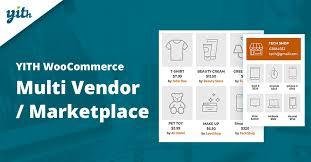
YITH WooCommerce Multi Vendor Premium 5.3.0
$31.00 Original price was: $31.00.$2.99Current price is: $2.99.
Instant Access
7 Day Money Back Guarantee
Online Support 24/7
Secure Payment
Description
🛒 YITH WooCommerce Multi Vendor Premium
This is a GPL-distributed version. No official support. Clean, secure, and legally redistributed under the GPL license.
🌍 Build Your Own Multi-Vendor Marketplace
E-commerce is evolving, and multi-vendor platforms are now leading the way. Giants like Amazon, Etsy, and AliExpress have proven the power of bringing together multiple sellers on one platform. With YITH WooCommerce Multi Vendor Premium, you can transform your WooCommerce store into a fully functional multi-vendor marketplace where different sellers can list their products, and you earn commissions on every sale.
The more vendors join your platform, the more products you offer, the more traffic you attract, and the higher your revenue grows — creating a self-sustaining growth cycle.
🚀 Why Choose YITH WooCommerce Multi Vendor?
Earn passive income through commissions.
Attract more sellers and products to your store.
Improve your website’s SEO and traffic naturally.
Build a platform that grows stronger as more vendors join.
Provide vendors with tools to manage their shops independently.
When combined with YITH Frontend Manager, you can give vendors their own dashboard to manage products, orders, and commissions directly from the frontend — making your marketplace even more professional.
🔑 Key Features of YITH WooCommerce Multi Vendor Premium
✔️ Customize vendors’ pages with details like contact info & social links.
✔️ Assign multiple administrators and manage vendors with bulk actions.
✔️ Set commission rates per vendor or product.
✔️ Compatible with WooCommerce Cost of Goods for accurate profit calculation.
✔️ Allow vendors to publish products without admin approval.
✔️ Advanced reports for both vendors (orders, stock, commissions) and admins (sales, vendors, performance).
✔️ Pay commissions manually, in bulk, or automatically via Stripe Connect.
✔️ Manage vendor registration, approvals, and “Become a Vendor” forms.
✔️ Vendors can:
Create their own coupons.
Manage reviews of their products.
Handle refund requests.
Set shipping zones and costs.
✔️ Add Google Maps location & contact forms to vendor shops.
✔️ Shortcodes to display vendors or products by vendor/category.
✔️ Allow vendors to temporarily close their shop for vacations.
✔️ Support for Aelia Currency Switcher for automatic currency conversion.
💡 Real-World Use Cases
Build an Etsy-like marketplace where artisans and creators sell products.
Create an Amazon-style platform with unlimited vendors and categories.
Set up a digital products hub where multiple authors sell eBooks, music, or software.
Niche multi-vendor stores (fashion, electronics, crafts, local vendors).
🎯 Why It’s a Must-Have
With YITH WooCommerce Multi Vendor Premium, you can turn your WooCommerce store into a profitable marketplace. Vendors bring traffic, sales, and diversity of products, while you earn commissions effortlessly. The plugin gives you full control, vendors enjoy independence, and customers benefit from a wide product selection — it’s a win-win-win.
Be the first to review “YITH WooCommerce Multi Vendor Premium 5.3.0” Cancel reply
How to Install
Follow these quick steps to install from a .zip file or directly from your WP dashboard.
-
1
Go to Plugins → Add New
In your WordPress dashboard, open Plugins and click Add New.
-
2
Click Upload Plugin
Press Upload Plugin → Choose File and select the downloaded
plugin-name.zip. -
3
Install & Activate
Click Install Now, then Activate. You’re done!
-
4
(Optional) Enter License / Use Shortcode
Open Plugins → Your Plugin → Settings to enter your license. Add the box on the product page with:
[plugin_info_box]
Alternative: Install from WordPress directory
Go to Plugins → Add New, search the plugin name, click Install then Activate.
Manual (FTP) method
Unzip locally → upload the folder to /wp-content/plugins/ using FTP → activate from Plugins.
-
1
Go to Appearance → Themes
Click Add New → Upload Theme.
-
2
Upload the .zip file
Select
theme-name.zip, click Install Now, then Activate. -
3
Install Required Plugins
If prompted, click Begin installing plugins and activate them.
-
4
(Optional) Import Starter Content
Use the theme’s Demo Import (if provided) to load sample pages and settings.
Manual (FTP) theme install
Unzip the theme → upload to /wp-content/themes/ → activate from Appearance → Themes.



Reviews
There are no reviews yet.