
- ✔ Verified by VirusTotal
- ✔ 100% Original Product & Virus-Free
- ✔ Lifetime Free Updates on Single Purchase
- ✔ Unlimited Website Usage
- ✔ Prices in USD (Tax Included)
🔥 Limited-Time Deal — Ends Soon!
YITH WooCommerce Product Bundles Premium 2.20.0
$57.00 Original price was: $57.00.$2.99Current price is: $2.99.
Instant Access
7 Day Money Back Guarantee
Online Support 24/7
Secure Payment
Description
YITH WooCommerce Product Bundles Premium (GPL) – Latest Version
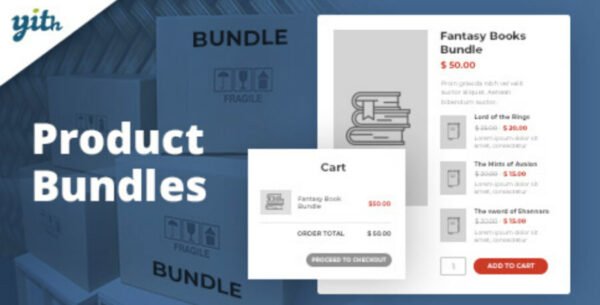
The YITH WooCommerce Product Bundles Premium plugin lets you sell products in smart combinations, offering special deals that drive upsells and increase average order value. Whether you sell electronics, fashion, or digital goods, bundles help customers buy complementary items together while enjoying discounts.
This is a GPL-distributed version – clean, secure, and legally redistributed. No official support from the developer.
🚀 Key Features
🔹 Flexible Pricing & Discounts
Choose between a fixed bundle price or the sum of individual product prices.
Apply percentage discounts per item or to the whole bundle.
Show customers the amount they save on discounted bundles.
🔹 Advanced Bundle Management
Add product variations to bundles.
Mark products as optional (not mandatory).
Hide bundled items or their images while still including them in the sale.
Set min/max purchase quantities for each product or for the bundle overall.
Automatically mark the bundle as out-of-stock if a product is unavailable.
🔹 Shipping & Checkout Options
Assign shipping fees to the bundle only or to each product individually.
Show bundle prices in orders/invoices as either the total bundle cost or as individual item prices.
🔹 Enhanced User Experience
Handy popup window to add items when editing bundles.
Display bundle prices as From, Min/Max, or Discounted price on the shop page.
Integrates with YITH Quick View for easy bundle previews.
PhotoSwipe integration lets users view full-screen images of bundled items.
Compatible with YITH Name Your Price for even more pricing flexibility.
🔹 Shortcodes & Customization
Use shortcodes to place bundle Add-to-Cart forms anywhere.
Customize product titles and descriptions inside the bundle.
Override widget and single product templates for full control.
💼 Perfect For
Electronics stores (e.g., camera + memory card + battery pack).
Fashion retailers (e.g., full outfit bundles).
Gift shops (e.g., custom hampers and boxes).
Digital products (e.g., software + add-ons).
With YITH WooCommerce Product Bundles Premium GPL, you can increase customer spending, encourage repeat purchases, and run powerful upsell strategies – all while keeping your WooCommerce store lean and optimized.
Be the first to review “YITH WooCommerce Product Bundles Premium 2.20.0” Cancel reply
How to Install
Follow these quick steps to install from a .zip file or directly from your WP dashboard.
-
1
Go to Plugins → Add New
In your WordPress dashboard, open Plugins and click Add New.
-
2
Click Upload Plugin
Press Upload Plugin → Choose File and select the downloaded
plugin-name.zip. -
3
Install & Activate
Click Install Now, then Activate. You’re done!
-
4
(Optional) Enter License / Use Shortcode
Open Plugins → Your Plugin → Settings to enter your license. Add the box on the product page with:
[plugin_info_box]
Alternative: Install from WordPress directory
Go to Plugins → Add New, search the plugin name, click Install then Activate.
Manual (FTP) method
Unzip locally → upload the folder to /wp-content/plugins/ using FTP → activate from Plugins.
-
1
Go to Appearance → Themes
Click Add New → Upload Theme.
-
2
Upload the .zip file
Select
theme-name.zip, click Install Now, then Activate. -
3
Install Required Plugins
If prompted, click Begin installing plugins and activate them.
-
4
(Optional) Import Starter Content
Use the theme’s Demo Import (if provided) to load sample pages and settings.
Manual (FTP) theme install
Unzip the theme → upload to /wp-content/themes/ → activate from Appearance → Themes.



Reviews
There are no reviews yet.